You do not need to have the whole website figured out
One of the biggest misconceptions about hiring a web designer is that you need to arrive with every page, headline and design decision already planned. You do not. A good starting point is simply knowing what your business does, who you want the website to reach and what you want visitors to do when they get there.
The items below give a Squarespace web designer the raw material needed to organize and build the site. If you are missing some of them, that does not necessarily mean you need to delay the project.
1. Your basic business information
Start with the information a customer should be able to confirm quickly. Gather your business name, phone number, email address, physical address if customers visit you, service area if you travel to customers, and your normal business hours if they matter to the site.
It also helps to have links to any established social profiles and your Google Business Profile. Keeping this information consistent gives the designer a reliable source to work from instead of guessing which version is current.
2. A clear description of what your business does
You do not need professionally written website copy before contacting a designer, but you should be able to explain your business in plain language. What do you sell or provide? Who do you serve? Where do you provide it? What makes a customer choose you?
A list of your main services or products is especially useful. If some services deserve their own pages, your designer can help determine that while planning the site's structure.
You do not need to decide the exact number of pages before the first conversation. Bring the information you have. The final page structure should follow what your customers need to understand and what is included in the website project.
3. Your logo and existing branding
If your business already has a logo, send the best-quality original file you have rather than a screenshot of it. If you already use particular colors, fonts or other brand elements, gather those as well.
Do not worry if you do not have a formal brand guide. Even examples such as a business card, sign, menu, vehicle lettering or social profile can help show how your business currently presents itself.
4. Photos you have the right to use
Strong photos can make a major difference on a small-business website. Gather clear images of your work, products, location, team, equipment or completed projects, depending on the type of business you run.
Send the original image files whenever possible. Images downloaded from social media or screenshots are often smaller or more compressed than the originals.
Just as important, make sure you have permission to publish the photos you provide. That matters particularly when an image includes customers, private property, children, copyrighted photography or material supplied by someone else.
5. Reviews or testimonials you want considered
If you want customer feedback featured on the site, gather the reviews or testimonials you would like the designer to consider. Keep a record of where each review came from and make sure the way you present it is accurate.
You do not need to turn every review into website content. A few relevant, credible examples are often more useful than filling a page with repetitive praise.
6. The main action you want visitors to take
Think about what a successful website visit looks like for your business. Should someone call you, request an estimate, schedule a consultation, complete a contact form, book an appointment or visit your location?
You can have more than one contact option, but identifying the primary goal helps the designer decide where calls to action belong and which information should receive the most attention.
7. Any special features you know you need
Tell your designer early if the site needs more than standard informational pages. Examples might include a contact or estimate form, photo gallery, appointment booking, newsletter signup, event information, embedded maps or links to outside services your business already uses.
You do not need to know how these features work inside Squarespace. The useful information is what you need the website to accomplish.
8. Your domain information, if you already own one
If you already own a domain name, know which company it is registered with and make sure you can access that account. A domain registered with another provider can often be connected to a Squarespace site without giving up ownership of it. Squarespace also supports domain transfers when the domain is eligible.
Do not send your domain password in an ordinary email just because a designer may eventually need access. Discuss the safest way to handle any required account access first.
9. Your Squarespace account or existing website, if you have one
If you already have a Squarespace website, tell the designer before the project begins. Squarespace supports contributors with separate accounts and different permission levels, so a designer does not necessarily need to use your personal login.
If you do not have a Squarespace site yet, that is also fine. Account ownership, the site subscription and the appropriate setup can be discussed as part of the project.
10. Examples of websites you like, and why
A few examples can save time, but they are most helpful when you explain what you like about them. Maybe you like the clean navigation, large photography, simple layout or the way services are presented.
The goal is not to copy another company's website. Examples simply give your designer a better understanding of the direction you are comfortable with.
11. Anything that must be accurate before launch
Before the site goes live, you should be prepared to review business facts, spelling of names, contact information, service areas, pricing you chose to publish, policies, claims about your experience, and other information that only you can verify.
Squarespace's own launch guidance recommends reviewing page text, links, forms, mobile layouts, domains, integrations and SEO information before publishing. A designer can perform those checks, but the business owner remains the best source for confirming that the underlying business information is correct.
What you do not need to have ready
You do not need to know Squarespace, choose a template, understand SEO settings, plan every section or know how to connect a domain before talking to a web designer. Those are implementation decisions that can be handled during the project.
You also do not need perfect copy or hundreds of professional photographs to start the conversation. If something important is missing, it is better to identify it during planning than to postpone the project because you think everything needs to be finished first.
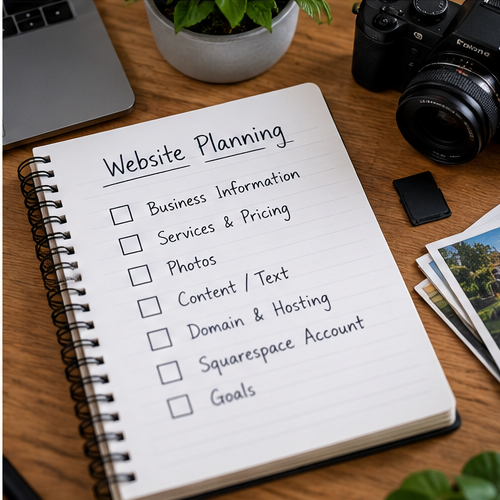
A simple checklist before you contact a designer
- Your current business name and contact information
- A list of your main services or products
- Your service area or business location
- Your logo and existing brand materials, if you have them
- Your best original photos and confirmation that you can use them
- Reviews or testimonials you may want featured
- The main action you want website visitors to take
- Any special website features you already know you need
- Your domain provider and account access, if you already own a domain
- Your existing Squarespace site information, if applicable
- A few website examples you like, if you have any
Ready does not mean perfect
The purpose of gathering this information is to make the website project smoother, not to make you design the website before hiring a designer. If you can explain your business, provide the material you already have and describe what you want the website to accomplish, that is enough to start a useful conversation.
If you want help turning that information into a complete Squarespace website, see my Squarespace Website Design service. I can help determine the appropriate page structure and build the site around the information your customers actually need.